End the month surprise-free.
Your personal and shared expenses, in one app. Connect Apple Pay or Mercado Pago and every payment is logged automatically.
Everything else, you add by voice or in two taps.




- people use it
- countries
- expenses logged
- ratings on the App Store and Google Play
You know you spent it. You don't know on what.
Spending was never the problem. It's reaching the end of the month unable to explain where it went.
Logging every expense by hand takes more time than you have, and a week later you stop.
You paid for dinner for six, and now everyone has to remember who owes you.
Small expenses look like nothing, until you add up a whole month of them.
WithKesef,yourApplePayandMercadoPagopaymentslogthemselves,yousplitcostswithyourpartnerorfriends,setalimitforeachcategory,andyoursubscriptionsandinstalmentsareloggedjustonce.

You pay, and it logs itself
Every QR payment, purchase and transfer, logged
In Argentina, Brazil, Chile, Colombia, Mexico, Peru and Uruguay: the seven countries where Mercado Pago offers a personal account you can authorise.
- Authorise on Mercado Pago. From More › Integrations. You enter your password on Mercado Pago's page, never in Kesef.
- Pick a starting point. From now on only, or the last 30 or 90 days as well.
- Then it runs on its own. Each new payment lands 10 to 30 minutes later, with a notification. That's how long Mercado Pago takes to report it.
Tap your iPhone and the expense is already logged
On iPhone with iOS 17 or later, with any card in your Wallet, in any country.
- Add the Kesef shortcut. It comes ready-made: one tap adds it to the Shortcuts app.
- Create the automation. Pick Wallet as the trigger and tick your cards. The app walks you through it.
- Pay like you always do. From then on, every Apple Pay payment comes in by itself. Set it up once and it stays.


Split the bills without keeping score
You pay the rent, she pays the groceries, you pay the electricity again. You log each shared expense and Kesef keeps the balance current, so at the end of the month nobody has to sit down and reconstruct who put in what.
- Split it however you want: halves, by percentage, by shares or with exact amounts.
- For couples, for a shared flat, and for the one trip a year.
- Balances recalculate with every expense either of you adds.
- You invite with a link, and whoever gets it doesn't need a subscription to join.
Your numbers, explained
Once your expenses are in, Kesef does the rest: it sorts them, warns you before you overspend and shows you what you'd never see scrolling the list.
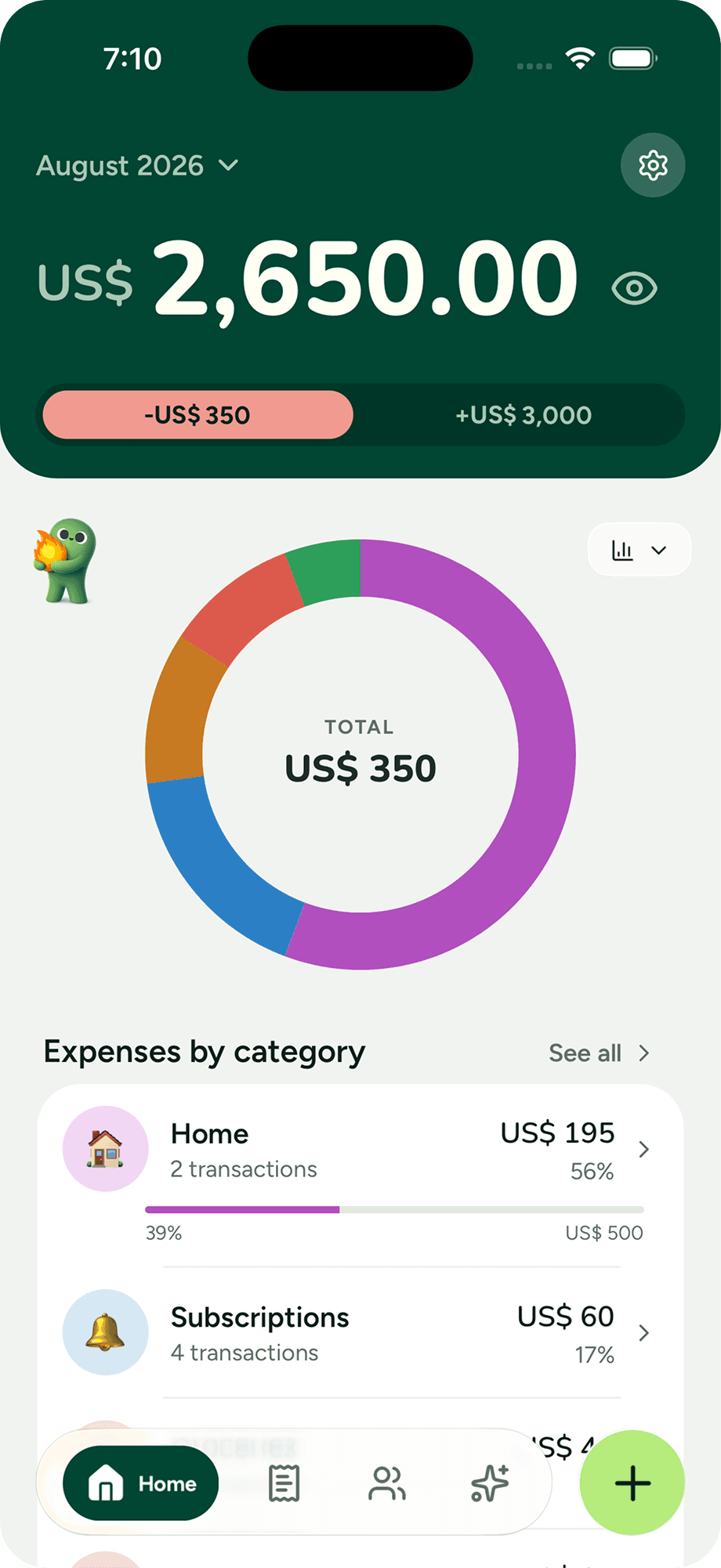
The month broken down by category, plus insights that show where you overspend without doing any maths.
Set how much you want to spend per category and track your progress in real time. Know where you stand before it's too late.
Rent, utilities, subscriptions and your salary show up on their own every month, subscriptions with their logo. And an instalment purchase gets logged once: Kesef spreads the payment across the months it lasts.
See what goes out and what comes in, so the month is complete. Categories, icons and payment methods are yours to build, and tags handle whatever cuts across several, like a trip or a renovation.
Kesef nudges you once a day so it doesn't slip, and the streak shows how many days you've kept it up.
And what you pay in cash or by transfer?
By voice
Say everything you spent today in one go and Kesef splits out each expense with its category.
Double-tap the back of your iPhone
Or the Action button, or Siri: Kesef asks for the expense and it's logged without opening the app.
By hand, in seconds
Type the amount and you're done: category, currency and payment method fill themselves in.
The basics, done right
What you'd expect from a money app, with no fine print.
150+ currencies, conversion included
Pesos, dollars, euros, reais. Kesef handles any currency with real-time conversion, perfect when your money doesn't live in just one.
Lock it with your face
Face ID, a fingerprint or your phone's passcode to open Kesef. Your numbers aren't there for whoever picks up your phone.

Your data leaves with you
Export to JSON or CSV free and with no subscription, to Excel with Kesef Pro, and import a backup back in whenever you want.
Kesef and the other apps
A short comparison, with sources. Including where the others do better.
| Kesef | Splitwise | Tricount | |
|---|---|---|---|
| Personal and shared expenses, in the same app | Yes | No | No |
| Currency conversion on the free plan | Yes | In the paid plan | Yes |
| Budgets per category | Yes | No | No |
| Recurring expenses | Yes | No | No |
| Log expenses by voice | Yes | No | No |
| Unlimited expense logging | Yes | In the paid plan | Yes |
| No ads on the free plan | No | No | Yes |
What the people using it say
Join the 18,939+ people already getting their spending in order with Kesef.
4.9average on the App Store and Google Play, from 712 ratings
The best app for organising your finances
Excellent app for organising personal finances. I've been using it since it launched and it genuinely marked a before and after in how I handle my spending. I've tried a great many similar apps and this one is by far the best. You can see exactly where the money goes.
Really complete app!
Excellent app for keeping spending under control. The interface is simple, clear and very well thought out, which makes logging income and expenses fast and frictionless. I really liked that it doesn't ask for any personal details when signing up.
Great Interface, Very User Friendly
Using this app as an introduction to basic household financial management for our child using her real-time expenses to develop and manage a budget. Excellent customer service by the developer if you have any questions or feedback. Would definitely recommend!
Very good!
I've been using it for a month and it really is simple and intuitive. I suggested a few changes and was told they're coming in future updates, which shows a real interest in growing and staying close to users. 100% recommended!
Really reliable and fast app for sorting out my spending
It works really well and it's easy to understand and use. Exactly the app I was looking for to sort out my spending and organise my finances.
Incredible app
I'd been trying to get my spending organised for a long time and Kesef helped me enormously with that. Now I can log and review my spending far faster.
Beautiful
It's visually lovely, which really stands out in an app like this. It's very well thought out and genuinely friendly to use. I highly recommend it.
Recommended
It's an intuitive app that helps you control and stay aware of your spending. It's working out for me relative to what I expected — it's even exceeded it.
Since I started using it I understand my spending much better. It's really useful for getting organised.
I find it completely intuitive and much more practical than others I've tried.
It's really great, easy to use, and the interface is lovely.
Excellent and easy
Very easy to use, intuitive and it does what you need. I highly recommend it.
Excellent app
Very intuitive and tidy — it's become one of my essentials.
Very useful!
I started using this app to keep a record of my spending and it's really useful! Very easy to use and it has all the budgets you need.
It is very useful to track and manage money
I tried many applications to manage budget and money management. Kesef expense tracker one of the best applications.
Excellent
I started using it a week ago for logging daily expenses and it's brilliant. The look of it is lovely.
I love it
I love it — I can manage my spending much better now.
It's top
Makes a very good impression so far.
Kesef
Very good app, easy and intuitive for someone who isn't great with phones. It works!
Excellent
Really good.
Very useful
The app is very useful and free. There are a fair few ads but it's still really helpful.
Excellent
I find it practical and useful. I tried another app but didn't find it straightforward.
Excellent! A big help!
Very good app — expenses go in fast and it's very easy to use.
Very good app
I like it a lot, it's very practical.
All my spending is organised!
Really good design.
Great program!
Please give this one a try!
Intuitive interface. Really friendly and easy to use.
Excellent, intuitive, practical. I recommend it.
It's good for getting organised. It would be even better with a calendar to remind you to pay bills before a given day.
I started using it this month. It's good — simple and practical.
Excellent for tracking expenses
I used the app to track all my spending on holiday. The menus are really intuitive and the way it presents information is very practical. Another thing I liked is that you can export the data as CSV or JSON if you want to do a more detailed analysis.
Very easy to use
It actually makes you want to log every expense! It's convenient, practical and very user friendly. I used to use a spreadsheet but this app is far more comfortable and it gives you insights too!
I really liked this app — I can create my own categories and set budgets for them. The analysis it does of my spending helps me understand where my money is going.
A very good interface compared with other apps, and it has AI insights that help you understand what you're spending on.
Really intuitive, and the ads are quick and out of the way. Of all the ones I've used, this is the best.
I love it — practically unlimited categories, good UI, separate payment methods. Really good.
Excellent app! I've been using it since it launched and it has helped me hugely to organise my spending!!!
Great app
Great app and very helpful! Simple to use, smooth performance, and really useful features. It made things much easier for me. Highly recommended!
Really clear UI
I've been using it for a few months and I find it really friendly and easy. That's what gets me using it every day.
Very good!
Beautiful design, and it's great that the free version lets you do so much. Thinking about taking out the monthly subscription.
I recommend it
Really convenient and easy to use day to day. I tried several apps and this is the one that worked best for me.
The app is good. The only thing it should have is a section for setting how much of your salary you're saving.
The best one for managing my spending
Very easy to use, and the reminders are really useful for not forgetting to log anything.
I like it, the interface is very clean.
My experience
I've tried tracking my spending with a lot of apps, but there's always a point where it gets hard to use. That didn't happen with this one.
Excellent
Excellent app for tracking day-to-day spending. Really good insights section.
Very good app
An up-and-coming app — honestly I've liked it, very comfortable to use.
Excellent!
Excellent app! It really helps me sort out my accounts and see where my money goes.
Great app
Feels smooth, with a clean and simple UI.
I really liked it
I really liked it! It's very intuitive. One suggestion: could credit card spending not come off the balance and instead build up somewhere else? I think it would add a lot.
Great tracker
It really helps me keep day-to-day spending under control, and the design is lovely too.
Very good
Excellent app for keeping track, and it's easy to move between sections.
Simple and efficient
Very good app, it works for everything I need and it's very easy to use.
Very good app, thanks!
Excellent app, really complete.
Excellent
Excellent app!
It's incredible!! The interface is really easy and friendly.
Very cool, very practical. I found out about them through the creator on Instagram!! I loved it.
Very good app, simple and easy to use.
Very intuitive and easy to use, I like it!
I've only just started trying the app and I find it very practical.
Real reviews published on the App Store and Google Play.
Cheaper than a coffee
Kesef Pro is USD 35 a year: under USD 3 a month, and the first 14 days are free. And if you'd rather not pay anything, don't: the free plan has no cap on expenses or groups.
Free
$0forever
- Unlimited expense and income logging
- Unlimited groups and shared expenses
- Unlimited recurring expenses
- Custom categories
- Sync across devices
- Automatic conversion across 150+ currencies
- JSON and CSV export

Kesef Pro
OptionalUSD 35per year
That's USD 2.92 a month, charged once a year.
Try it free for 14 days. If it's not for you, cancel before then and pay nothing.
- Everything in the free plan
- Apple Pay automation: your iPhone payments log themselves
- Mercado Pago integration: your payments log themselves
- Unlimited voice logging
- No ads
- Unlimited tags and budgets
- Detailed insights
- Excel export

Activated inside the app. Billed by the App Store or Google Play, on the account you already use.
Lifetime
One-timeUSD 100one-time
Pay once and Pro is yours for good. No subscription, no renewals.
- Everything in Kesef Pro
- Pay once, keep it for good
- No subscription, no renewals
Activated inside the app. Billed by the App Store or Google Play, on the account you already use.
Cancel from the store whenever you want.
Frequently asked questions
What decides whether it's for you. The app's how-to questions live on a page of their own.
How much does Kesef cost?
Downloading and using Kesef is free, on both iPhone and Android. Logging, groups, recurring expenses and sync have no cap on the free plan. Kesef Pro is optional and costs USD 5 per month or USD 35 per year, with a 14-day free trial on the yearly plan, or USD 100 as a one-time lifetime purchase: it makes your Apple Pay and Mercado Pago payments log themselves, adds voice logging, removes the ads, lifts the caps on tags and budgets, and adds detailed insights and Excel export.
Why is the free plan this complete?
Plenty of apps cap how many expenses you can log per day or per month, and the cap shows up precisely on the day you logged the most. Kesef doesn't do that and won't. It was built in Argentina, and most of the people using it are in Latin America, where a subscription priced in dollars is not a detail: getting your spending in order shouldn't cost you money. That's why everything that solves the problem (logging, splitting, converting and understanding) is in the free plan, and Pro only adds convenience.
How does the Mercado Pago integration work?
You connect your account from More › Integrations: the authorisation happens on Mercado Pago's page and your password never goes through Kesef. From then on, every QR payment, purchase and transfer shows up in Kesef 10 to 30 minutes later, with the category suggested by the merchant, and you get a notification. You can also import the last 30 or 90 days. Kesef only reads your activity: it can't pay, transfer or move money, and you can disconnect whenever you want. It's available in Argentina, Brazil, Chile, Colombia, Mexico, Peru and Uruguay.
How does the Apple Pay automation work?
You set it up once from More › Integrations → Apple Pay: add Kesef's ready-made shortcut to the Shortcuts app and create a Wallet automation with the cards you use. The app walks you through it. From then on, every time you pay with Apple Pay in a shop, the expense lands in Kesef with the amount and the merchant, with a category that learns from your fixes, and you get a notification. If your bank doesn't report the amount, the payment stays pending and you complete it with one tap. It works on iPhone with iOS 17 or later, in any country, and it's part of Kesef Pro.
Can Kesef see my card or pay with it?
No. With Apple Pay, Kesef only learns the amount and the merchant of each payment: it never sees the card number and can't pay with it. With Mercado Pago, the authorisation is read-only: it can read your movements, but not pay, transfer or touch your balance. You can turn either one off whenever you want.
Do I need an account to use Kesef?
No. You open Kesef and start using it, with no email and no password: your expenses stay on your phone. The account is optional and does one thing: sync across devices and join groups. You create it with Apple or Google when you need it, not before.
Does it work offline?
Yes. You can log expenses with no signal and Kesef syncs them on its own once you're back online. Nothing gets lost because you were on the subway or travelling.
Which currencies does it support?
More than 150, with real-time conversion: dollars, euros, pesos, reais and the rest. It works whether you earn in one currency and spend in another, or you're just travelling.
How do I split expenses with my partner or flatmates?
You create a group with them and log the shared expenses: rent, groceries, utilities. Kesef keeps the balance current and works out who owes whom, so nobody has to sit down and do the maths at the end of the month. Each expense can be split however suits you: evenly, by percentage, by shares, or by typing each person's exact amount. It works the same for a trip or any other group, and it's free for everyone: whoever receives the link doesn't need a subscription to join.
Can I log expenses by voice?
Yes, and several at once: you tell Kesef everything you spent today and it picks out each expense separately in seconds. Voice logging is part of Kesef Pro, with a free try so you can see how it works before deciding.
Can I export my data?
Yes, and with no subscription: JSON and CSV export are on the free plan, because your data is yours and taking it with you shouldn't cost anything. Excel export is one of the Kesef Pro features.
Start understanding where your money goes
Kesef is free and available on iPhone and Android. Log your first expense in under a minute.